Themed Image
<ThemedImage /> is designed to show different images based on the theme of the docs site
(i.e., one image explicitly for dark mode, another for light mode)
Usage
Here is an example of a <ThemedImage />. When toggling dark mode, you’ll notice that the image is different
for light mode and dark mode.
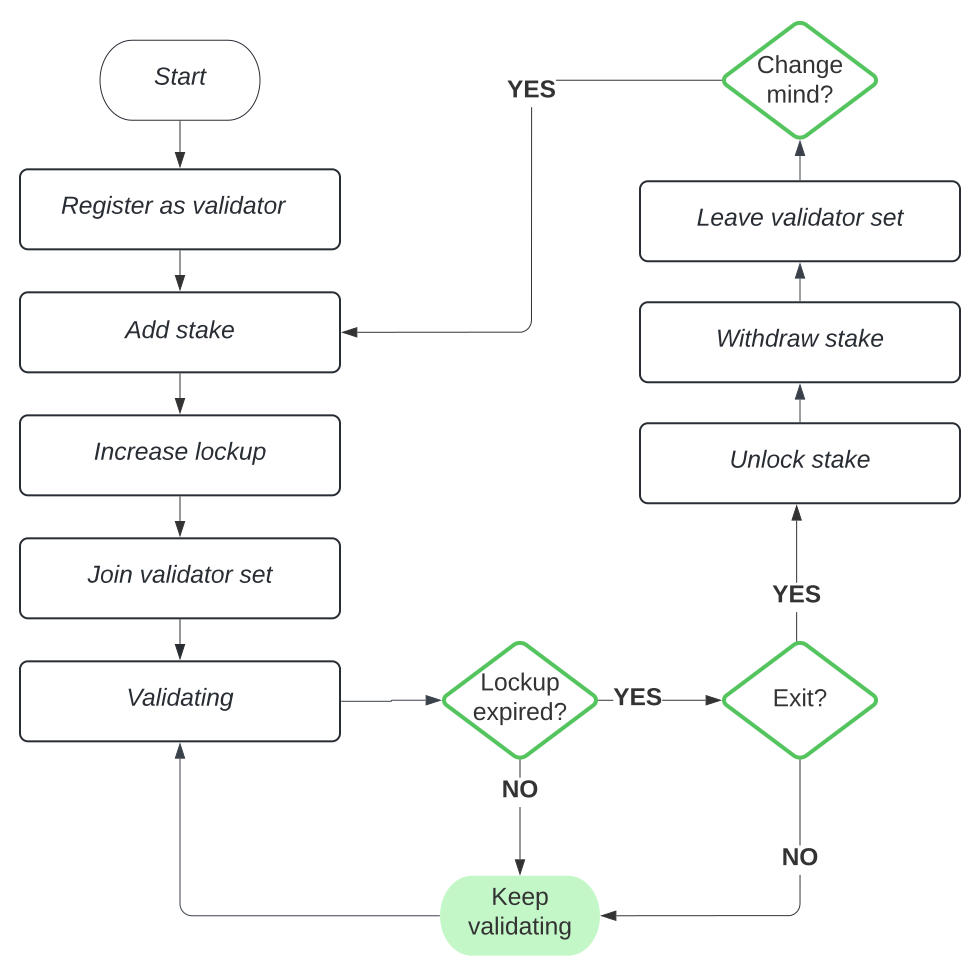
To accomplish this, do the following:
Acquire sources for <ThemedImage />
Image sources can be local from the public folder or external images.
💡
Local Images
Local image paths should always start with / and images should be
placed in the public folder. i.e., /docs/staking-light.svg
- staking-light.svg
- staking-dark.svg
Add ThemedImage Component
staking.mdx
import { ThemedImage } from '@components/index'

...

<ThemedImage
  alt="Staking Flow"
  sources={{
    light: '/docs/staking-light.svg',
    dark: '/docs/staking-dark.svg',
  }}
/>
API
The ThemedImage component takes the following props:
alt
A description of the image.
- Type:
string
sources
Light and dark sources
- Type:
Record<'light' | 'dark', string>